A collector can see what a figurine looks like on a product page. On a live webcast, they can hear the artist explain why he designed it that way and ask him a question before deciding whether to buy. That access gives people a reason to show up at a specific time.
That’s what made artist Jim Shore’s studio webcasts a useful example for a small business. The product mattered, but so did the conversation around it. You can borrow the format for a launch, a demonstration, or a customer Q&A. Start with something your customers would want to see or ask about in person.
How Jim Shore gave collectors a reason to tune in
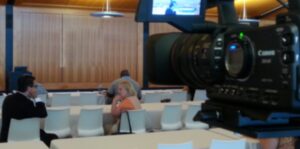
Jim Shore began webcasting from his studio in 2015 and continued in 2016 and 2017, as documented in Mediafluent’s original account. Host Valerie Menzel introduced Shore and explained the offer. Over the course of the hour, they showed pieces from different collections while Shore shared the stories and design decisions behind them. Viewers could talk with one another in the live chat and ask questions; Shore answered some on air.
Collectors could also buy signed pieces at special prices through Shore’s website during the show. Storytelling gave them a reason to watch, live questions gave them a reason to participate, and a clear online offer gave interested viewers a next step.
Those early broadcasts attracted over a hundred live viewers, and while we don’t have verified sales figures for those early broadcasts, Shore’s official site does document a later 2022 holiday kickoff on Facebook Live tied to exclusive collectibles. His virtual signing page also describes limited signed editions and invites collectors to submit questions on Facebook. Those records show how the format has been used over time.
What a live shopping event can measure
For a separate example with published numbers, look at leather goods brand Andar. In a case study from its streaming vendor, Videowise, Videowise reported roughly 2,000 live viewers and $113,000 in revenue during one three-hour show. Andar had an existing customer following and used order-linked giveaways. The figures describe that specific event; the useful takeaway is how the team tracked live attendance, sales during the broadcast, and revenue from follow-up separately.
Plan a 25-minute pilot
- Pick one reason to go live. Choose one product, customer question, or offer. A specialty retailer might compare two items customers often confuse. A kitchen remodeler could show two countertop samples and explain how each wears. Pick one action for interested viewers: buy, request a sample, or book a consultation.
- Make one event page and invite people to it. State what they’ll see, when it starts, and how to join. Send an announcement to your email list, then a reminder before the show. Start on the channel your customers already use. If you’re selling, test the product link, stock, shipping terms, and checkout on a phone.
- Assign a host and a chat moderator. The host demonstrates the product and answers questions. The moderator brings good questions forward, shares the link, and watches for issues. Rehearse from start to finish. Listen to the sound on another device and record a local backup if your setup allows it.
- Run the show with a clock. Spend 3 minutes on what viewers will see, 10 minutes demonstrating it, 8 minutes on questions, and 4 minutes recapping the offer and next step. Show the useful thing early. Repeat where to click when it’s relevant, and explain any real time or quantity limits.
- Follow up while it’s still useful. Post the replay with a current link, and label any offer that has expired. Send the replay to registrants who asked for it. Turn the clearest demonstration or most useful audience question into a short clip your team can use again.
Decide whether the next show is worth doing
Before you go live, set a goal and a measurement window. For a retail launch, that might be orders made during the show and within 48 hours of the replay email. For a service business, it might be qualified appointments booked within a week. Use a dedicated link or code so you can match responses to the event. A tracked order tells you where someone acted; it doesn’t establish whether they would have bought anyway.
Keep peak concurrent viewers separate from total live views and replay views. Peak means the most people watching at the same moment. YouTube’s live analytics guide explains how the platform distinguishes live from on-demand viewing. Alongside reach, record watch time, questions, clicks, orders or bookings, and what the show cost to produce and promote.
Compare the value of the outcome with the cost, including your team’s time. If a retail show costs $300 and each order contributes $30 after variable costs, 10 additional orders would cover the event. That’s a planning example. If people watched and asked questions but few took the next step, review the offer and checkout before paying for a bigger broadcast.
Start with something your customers want to see
Bring us one product, launch, or recurring customer question. Mediafluent can help you shape it into a live show, plan what your team will need on the day, and decide how to measure it afterward. Explore our video production and live webcasting services, or book a free 15-minute conversation to talk through your idea.